Zaksha keeps your kids to the internet you're comfortable with — on every device, on any network — and holds the line when they try to switch it off.
14 days free, then ₹199/month · 40% off the yearly plan this Diwali · cancel anytime
Flip a category and every app and site in it gets blocked — both in the app and the browser.
Blocked in the app and in the browser. Zaksha blocks the service itself, so switching from the Instagram app to Instagram in a browser doesn't get around it. Add any specific site of your own on top.

Pick a time, pick what pauses. It repeats every week on its own.
The phone goes quiet overnight, so no one's scrolling at midnight.
Let them have their games and social in a window you choose — off the rest of the day.
During study time the fun stuff pauses, so the phone stops competing with homework.
Zaksha blocks what you don't want — without reading over your child's shoulder.
Everything you need to keep them to a safer internet.
The things monitoring apps sell — we refuse them by design.
Most parental controls come off the moment a child deletes the app. Here's what happens on a Zaksha phone instead.
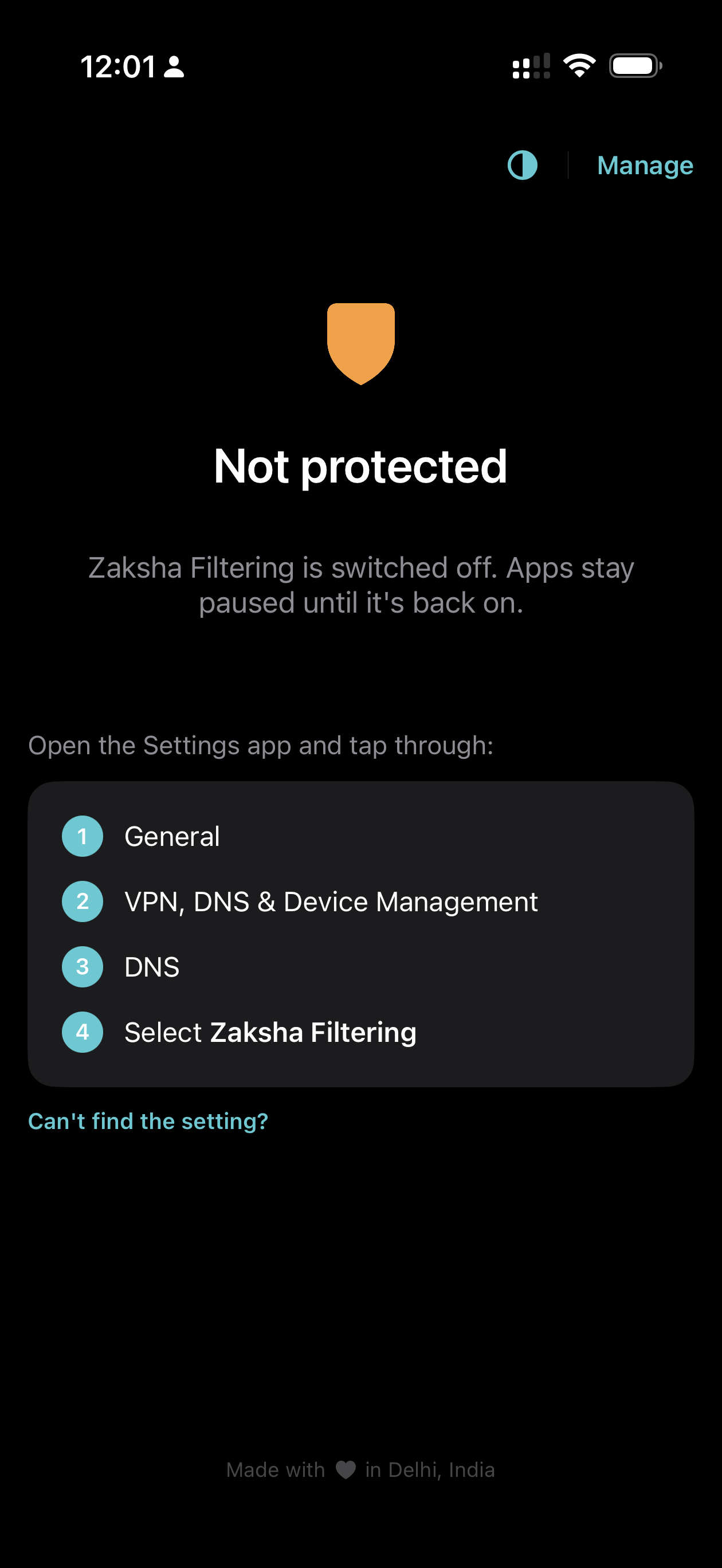
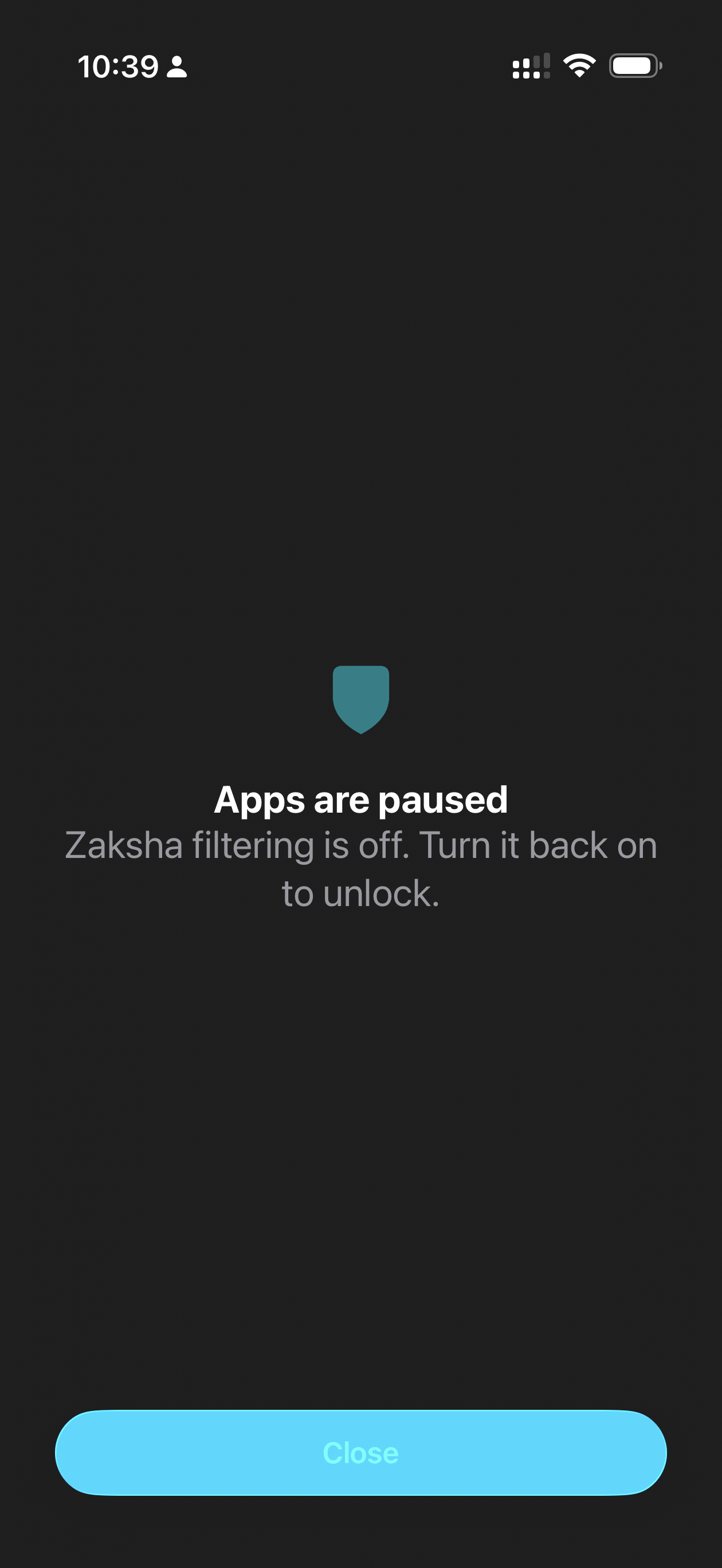
A child can turn Zaksha's filtering off on their own phone — on an iPhone, even Screen Time won't stop that. So Zaksha is built for exactly this moment.

The instant filtering is off, the apps you chose — social, games, whatever you set — are blocked and won't open. Calls, messages and the basics keep working.

You get a WhatsApp straight away. From there it's your call: unlock the apps right now, or leave them locked for the cooldown. The control stays with you, not them.
And beyond iPhone: on Android, a fresh-phone setup can't be uninstalled at all; on Windows, it's locked behind the admin password. Kept honest — on iPhone your Apple ID password can reset the Screen Time passcode, so keep it private. Can my child turn it off? The full answer →
Counts across the block lists Zaksha loads, refreshed regularly. Turn on only the categories you want — each is a separate switch.

We can see that a device asked for youtube.com — never your messages, photos, passwords, or what's on a page. We couldn't read them if we tried.
Activity is kept for 7 days so you can check in on the week, then it's deleted for good. Nothing builds up a permanent profile.
Everything runs on our servers in India and never leaves them. Your family's data is never sold, and there are no ads or trackers.

Every device gets the core: category blocking, per-child schedules, and filtering that follows onto mobile data and any Wi-Fi. The only difference is whether locking it down needs a fresh-phone setup.
| iPhone & iPad | Android | Windows | Mac | |
|---|---|---|---|---|
| Blocks adult content & every category | ||||
| Bedtime & study-hour schedules | ||||
| Filtering on every network | ||||
| Runs as | App | App | System service | Config profile |
| Tamper protection | Requires factory reset |
You get guided, step-by-step setup for each platform when you add a device.
No per-child add-ons. One plan covers the family.
Diwali sale · up to 40% off
Starts with a 14-day free trial
For teams, offices, schools and larger fleets.
All prices in INR, exclusive of applicable taxes. Home covers a single household under fair use.
On a family iPhone a child can switch DNS filtering off — Screen Time doesn't prevent that — but Zaksha then blocks the app types you've chosen and alerts you on WhatsApp, keeping them paused for a 30-minute cooldown once it's back on; a Screen Time passcode you set stops them deleting the app. Keep your Apple ID password private, since Apple lets it reset that passcode. On Android you choose the level: the standard install is tamper-evident — you're alerted the moment it's removed — and the fresh-phone setup is tamper-proof: Zaksha can't be uninstalled. For offices and schools, our supervised (MDM) setup is tamper-proof across the fleet.
Yes. The Zaksha app lives on the device, so filtering follows your child onto mobile data and any Wi-Fi — not just your home network.
Website names only — that a device asked for youtube.com, never your messages, photos, passwords or what's on a page. History is kept for a rolling 7 days, then genuinely deleted. Everything is processed and stored on our servers in India and never leaves them. No ads, and nothing is sold.
Adult content, gambling, social media, gaming, streaming — and AI chatbots like ChatGPT and Gemini, which parents switch off in exam season. Each category is one switch, set separately for each child's device, and you can add specific sites of your own to the block list.
Turning on Ads & trackers blocks the third-party ad and tracker networks that follow your child around the web — the pop-ups, banners and trackers across the sites and apps they use. It doesn't strip the ads shown inside an app like YouTube, because those are served from the same place as the video itself, so blocking them would stop the app working. In short: it cuts third-party advertising and tracking, not an app's own in-stream ads.
iPhone, iPad and Android use the Zaksha app; Windows installs a small agent (as an administrator) and Mac uses a configuration profile. For the strongest Android setup, you set Zaksha up on a freshly reset phone as its device owner, so it can't be removed. You get guided, step-by-step instructions for each platform on the Get the app page.
Every account starts with a 14-day free trial. After that, pay by UPI or a debit or credit card — monthly, or annually at a discount (₹149/month, 40% off during the Diwali sale) — and cancel anytime.
Start your 14-day free trial — 40% off the yearly plan this Diwali. Set up in minutes, we run the rest.